• Home
  • Contact Us
  • My Account
  • Children
  • Teens
  • Catalog
  • Research
  • About

OverDrive Downloadable eMedia

What is OverDrive?
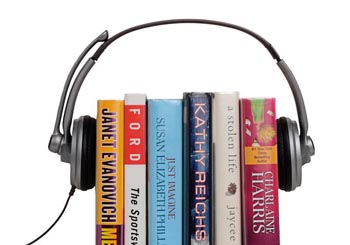
OverDrive is a new program/service being offered by many libraries in the Bibliomation Consortium, through a group contract (including the Silas Bronson Library). This service allows patrons to download selected audiobooks and ebooks to home laptops/computers and a variety of mobile devices and ebook readers (iPod, Nook, Kindle, iPad, MP3 player etc.) and certain cell phones (Android, iphone, blackberry, Windows Phone 7 etc.). There are restrictions on lending periods and whether a given title can be copied and/or burned to a CD (in whole or in part). These restrictions are set by the title's publisher and cannot be changed by the library, Bibliomation, or OverDrive.

Patrons can bring in their laptops to download eMedia, but cannot download to library computers.

Quick Start Guide
To learn how to use OverDrive you can click the Help icon to view a video on how to use OverDrive and you can read the quick start guide.

OverDrive now offers ebooks on the Kindle ereader, watch this video to learn how.

Instructions for downloading eMedia for Apple products
iPad/iPod and iPhone
you will need to download iTunes and OMC from the Apple website.


Questions on How to use OverDrive

What do I need to begin
You will need a valid library card, computer/laptop or mobile device, Internet access, and free software for the computer or device.

What can I download from OverDrive?
eBooks: A text-based digital book (EPUB/PDF)
Audiobooks: A recorded reading of a book (WMA/MP3)
Kindle eReader: eBooks: (EPUB/PDF)

If I own a MAC computer what kind of audio files can I download?
You can download MP3 files but not WMA, for audiobooks; however, you can download any eBook (EPUB or PDF).

If I own a Kindle eReader what can I download from OverDrive?
The contract terms between Amazon and OverDrive allow for only eBook downloads, therefore no audiobooks for Kindle are available through OverDrive.

How do I download eBooks for my Kindle ereader?
Once you find a title in OverDrive that you want, proceed to check it out. When the title is checked out you will be brought to the Amazon.com website where you will proceed to download (via wi-fi connection) your title to your Kindle. You must have an account with Amazon.com to proceed.

If I don't live in Waterbury can I download OverDrive titles?
Yes, if your hometown library has purchased a contract with OverDrive and is a member of the Bibliomation Consortium you can proceed to download OverDrive titles with your valid library card, otherwise you will not be able to proceed.

Can I download titles from library computers?
No. The Bronson Library does not offer a download station; however, you can download eMedia to your laptop.

Do I need an Email account to place a book on hold?
Yes, you will need an email account. When the title becomes available you will be notified by email and will have three (3) days to check it out from OverDrive; otherwise, it will go to the next patron on the waiting list or returned to the catalog.

Can I download OverDrive titles to my Desktop, Laptop, or Mobile device?
Yes, titles can be downloaded on all these platforms.

How long can I check out a title for?
Audiobooks: 7 or 14 days (click desired checkbox)
eBooks: 14 or 21 days (click desired checkbox)

Can I renew a title?
Yes, simply check it out again.

Can I return a title early?
You can return Adobe eBooks and Kindle eBooks early; however, due to licensing agreements set forth by the publisher(s), you cannot return Audiobooks early.

Will I be charged late fees?
No, late fees will never apply because the title will be automatically returned to OverDrive when the lending period expires.

How many titles can I checkout at a time?
Five (5) titles may be checked out

How do I return the title at the end of the lending period?
Titles will automatically be removed from the computer or mobile device once the lending period expires. There will be instances on some mobile devices when the title is not automatically removed. The patron is asked to manually delete the title in these instances in accordance with Digital Rights Management copyright law (DRM).

Can I burn titles to a CD or make print copies of pages?
Some publishers will allow burning and/or printing pages and others will not. Graphic icons will be displayed under the title as an indication on what restrictions apply. This decision is made solely by the publisher with no involvement from the Bibliomation Consortium. The publisher will rely on good faith that the patron will destroy the data on the burned CD when the lending period expires, in accordance with Digital Rights Management copyright law (DRM).

What software is needed to download Kindle eBooks?
No OverDrive software is needed to download Kindle eBooks.

What software is needed to download Audiobooks?
You will need to download the OverDrive Media Console software. First time users will be prompted to perform a one time upgrade to Windows Media Player before proceeding.

What software is need to download ebooks?
You will need to download Adobe Digital Editions software. First time users will need to create an Adobe ID (you will need an email account) before proceeding,

Can I transfer ebook titles from my computer or laptop to a mobile ereader device?
Yes, 1) first connect the ereader device to your computer 2) in Adobe Digital Editions library view select a title to transfer 3) drag the title to the eBook device icon.

Can I transfer audiobook titles to a portable player?
Yes, 1) first connect your portable player to your computer 2) in OverDrive Media Console highlight the title you would like to transfer 3) click the transfer button 4) the transfer wizard will prompt you along.

Can I download titles directly to my mobile device?
Yes, on some devices (Kindle Fire, Android and iPhone, iPad/iPod touch, BlackBerry, Windows Phone 7) titles can be downloaded directly to your  device using the OverDrive Media Console software; however, the Kindle Fire does not need any software for direct downloads. On most other ereaders and mobile devices the title will have to first be downloaded to a computer then transferred (by drag and drop method) to the ereader or mobile device.